
Support
Aginode launches Visio Template 5.0 with AVT 3D
Jun 11, 2026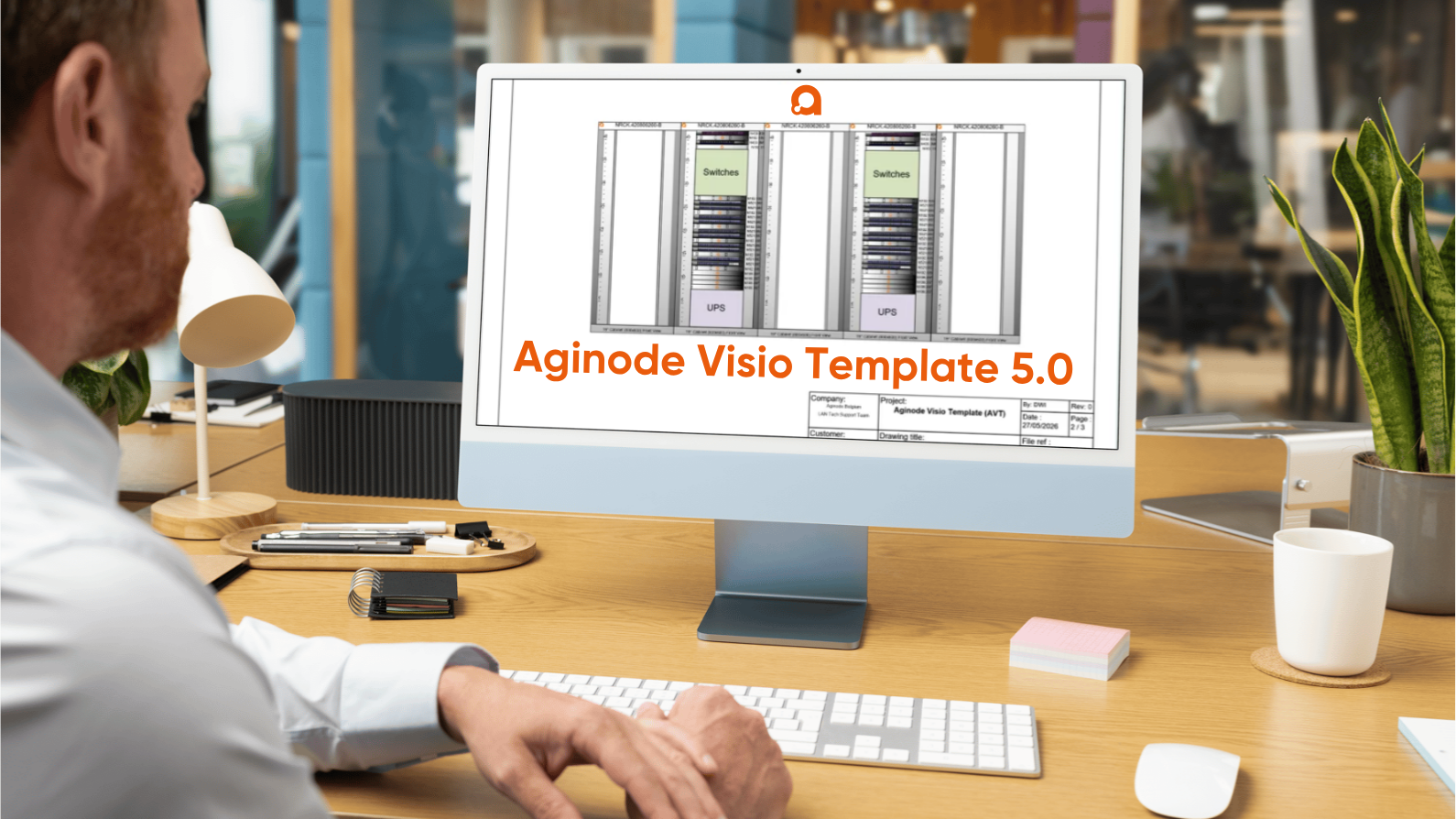
Free Microsoft Visio add-in for professional cabling infrastructure design.
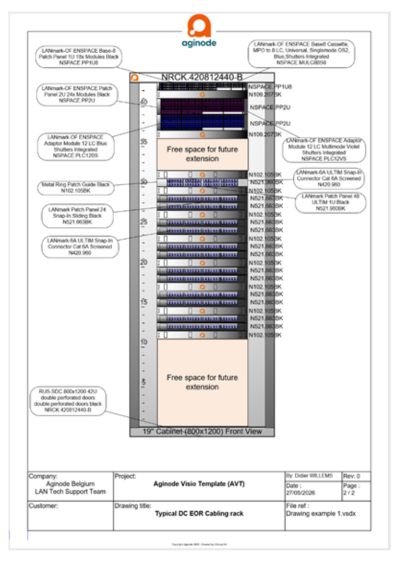 Aginode Visio Template 5.0 (AVT 5.0) is a free software tool designed to simplify and speed up the creation of professional network infrastructure diagrams, rack layouts and 3D cabling diagrams using Microsoft Visio.
Developed for system designers, installers, consultants and integrators, AVT 5.0 offers intelligent drawing features, updated Aginode product libraries and advanced export capabilities to improve productivity and the quality of documentation.
Key features
Updated Product Libraries
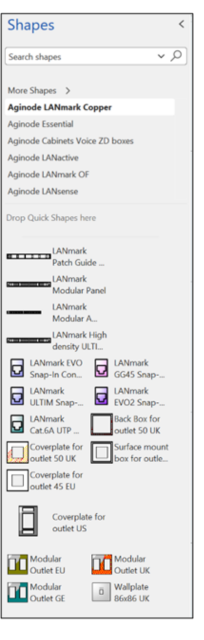
AVT 5.0 includes fully updated Visio stencils covering the latest Aginode product portfolio.
Available stencil categories are:
- Cabinets, Voice & ZD Boxes
- LANmark Copper
- LANmark-OF
- LANsense
- essential
- LANactive
The libraries include shapes for all current products, excluding cables and cords.
To simplify usage and reduce library complexity, intelligent master shapes represent complete product subfamilies. Users can easily select the required product variant directly from a contextual right-click menu.
Intelligent Design Tools
 AVT 5.0 introduces enhanced diagramming capabilities to streamline project creation and management.
Product Search Tool
Quickly locate the correct Visio shape using the integrated Product Search functionality.
Smart Modular Patch Panel Population
Automatically populate modular patch panels with compatible components using intelligent smart actions, reducing manual operations and configuration errors.
Intelligent Master Shapes
Master shapes dynamically adapt to selected product configurations, enabling faster and more accurate designs.
Improved Project Documentation
Advanced Bill of Materials Export
Generate complete Bills of Materials (BoM) directly from Visio to Microsoft Excel.
When the Document node is selected, the export function automatically compiles the BoM for all drawings within the Visio project file.
Document Explorer
The integrated Document Explorer provides a complete overview of all components used within the drawing.
Product Selector
The Product Selector automatically displays detailed information for the selected shape, improving navigation and product identification.
Direct Access to Product Information
All relevant shapes include hyperlinks to product datasheets available on the Aginode website, providing quick access to technical information during the design process.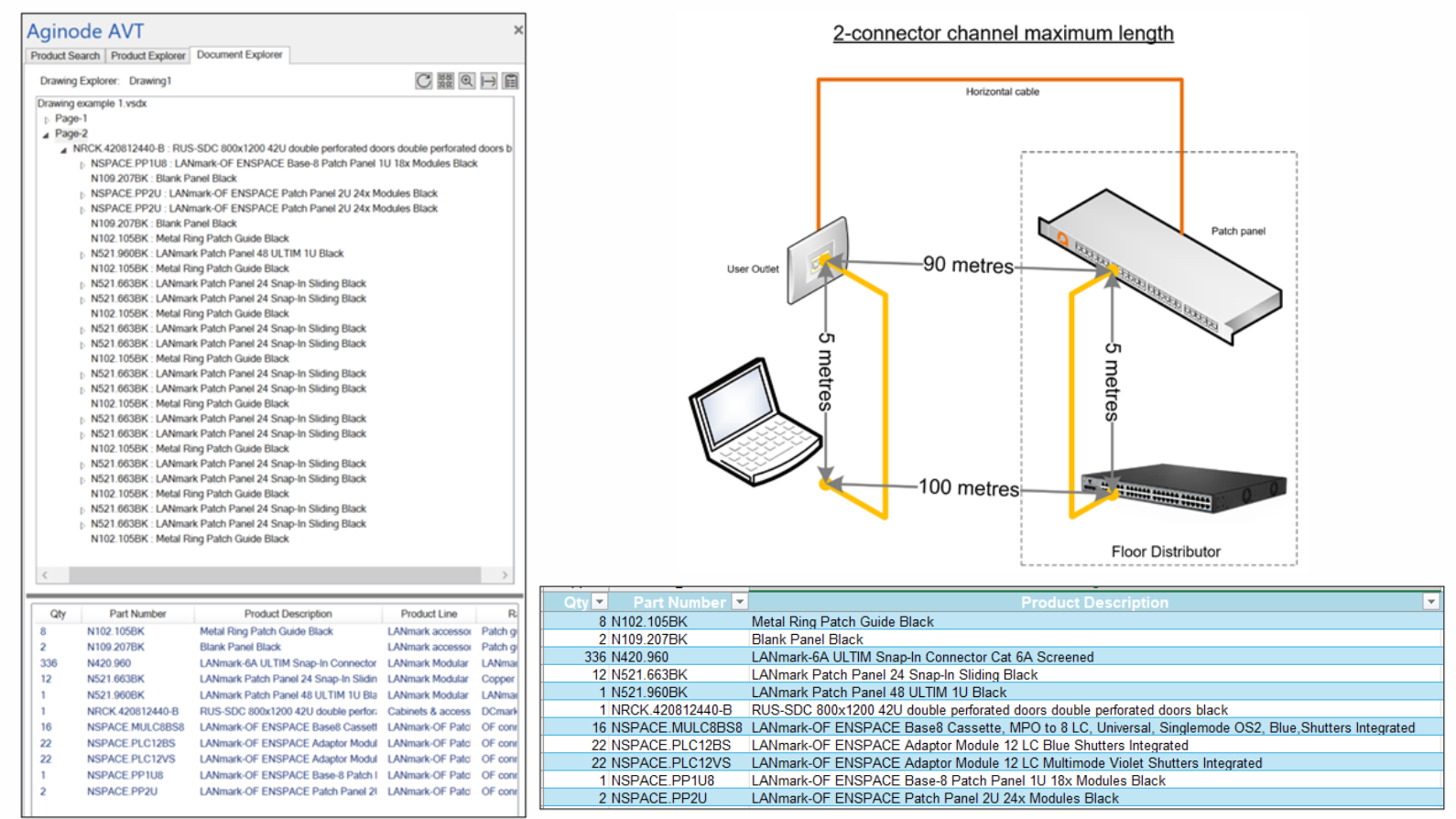
Easy to Use
AVT 5.0 includes a comprehensive help file describing all software functions and features, enabling rapid onboarding for new users.
The software also offers broad compatibility with other tools and workflows commonly used in infrastructure design projects.
Benefits
With Aginode Visio Template 5.0, users can:
Accelerate network infrastructure design
Reduce manual configuration work
Improve design consistency and accuracy
Generate professional documentation faster
Create comprehensive rack layouts and cabling schematics
Deliver higher-quality project documentation to customers
Free Download
Aginode Visio Template 5.0 is available as a free download for Microsoft Visio users.
Download AVT 5.0 today and simplify your cabling infrastructure design workflow.
Compatibility
The software is compatible with Microsoft Visio 2013, 2016, 2019, 2021 & 2024 - and with all Windows versions that Visio desktop will function on.
Installation packages
To ensure compatibility with different Microsoft Visio environments, Aginode Visio Template 5.0 is provided in multiple installation formats. Two criteria must be considered when selecting the correct package:
1. Software architecture (32-bit or 64-bit)
Two versions of the add-on are available: 32-bit and 64-bit version.
Users must select the version that matches the bitness of their installed Microsoft Visio application (not the operating system).
How to check the bitness of Visio:
- Go to File → Account
- Click About Visio
- Look for: 32-bit or 64-bit
2. Installation format (.exe or .msi)
Each version is available in two installation formats:
- .EXE installer
- Recommended for standard/manual installation
- Provides a guided installation process
- May include prerequisite checks and additional setup steps - .MSI package
- Recommended for IT-managed or enterprise deployments
- Supports silent installation and automated rollout (e.g. via SCCM, Intune, Group Policy)
- Easier to integrate into corporate deployment processes
Important note
Installing a version (32-bit or 64-bit) that does not match your Visio installation may result in the add-on not functioning or not appearing in Visio.
Download AVT 5.0 - 32-bit .EXE package
Download AVT 5.0 - 32-bit .MSI package